Structural_Decorator
🛠️
- add behavior to object dynamically without modifying their class
- wrap an object with another object(decorator)
✅ Structure and Diagram
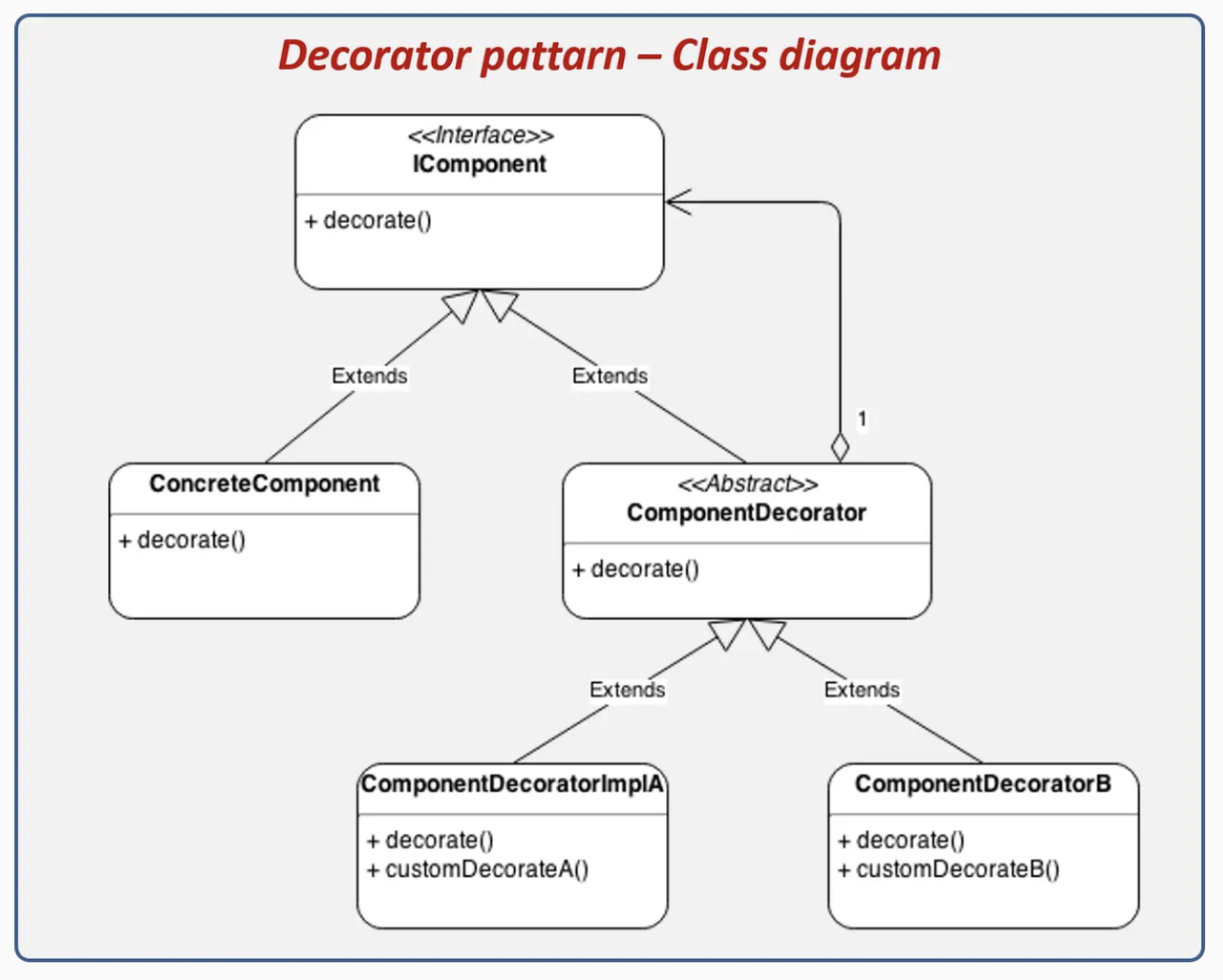
👀
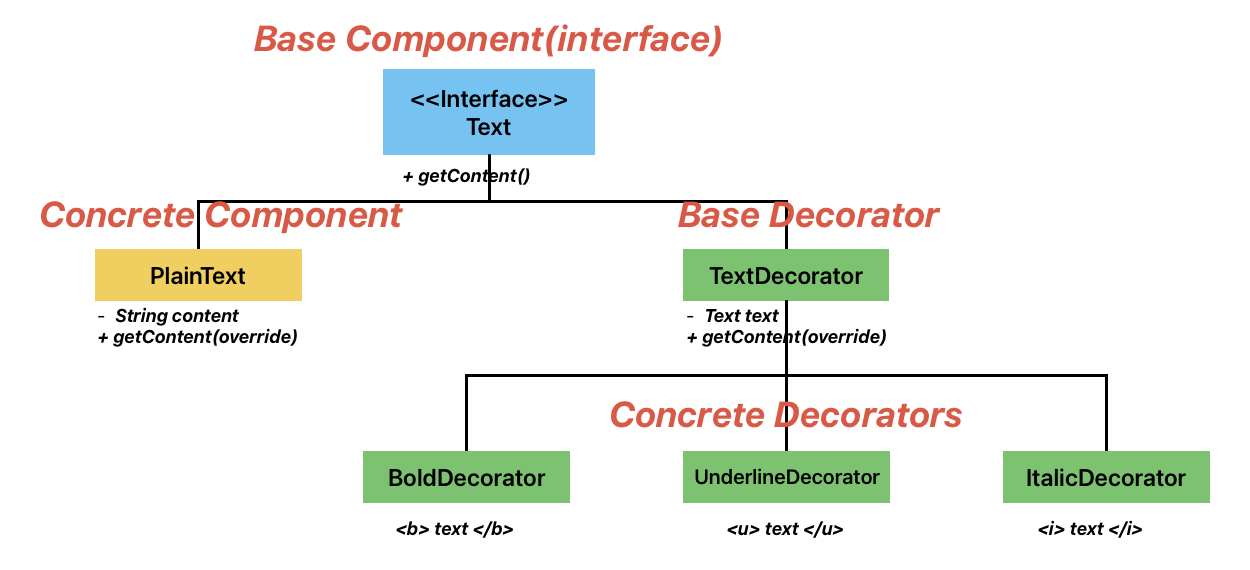
- Like in HTML, we decorate text like
<b> <u> <i> Text </i> </u> </b>
1
Component ➡️ BoldDecorator ➡️ UnderlineDecorator ➡️ ItalicDecorator
1. Base Component(interface)
- common interface
1
2
3
interface Text{
    String getContent();
}
2. Concrete Component
- base implementation
1
2
3
4
5
6
7
8
9
10
11
12
class PlainText implements Text{
    private String content;

    public PlainText(String content){
        this.content = content;
    }

    @Override
    public String getContent(){
        return content;
    }
}
3. Base Decorator
- holds a reference to the wrapped component
1
2
3
4
5
6
7
8
9
10
11
12
abstract class TextDecorator implements Text{
    protected Text text;

    public TextDecorator(Text text){
        this.text = text;
    }

    @Override
    public String getContent(){
        return text.getContent();
    }
}
4. Concrete Decorators
- extends the
base decoratorand behavior
1
2
3
4
5
6
7
8
9
10
11
12
13
14
15
16
17
18
19
20
21
22
23
24
25
26
27
28
29
30
31
32
class BoldDecorator extends TextDecorator{
    public BoldDecorator(Text text){
        super(text);
    }

    @Override
    public String getContent(){
        return "<b>" + super.getContent() + "</b>";
    }
}

class UnderlineDecorator extends TextDecorator{
    public UnderlineDecorator(Text text){
        super(text);
    }

    @Override
    public String getContent(){
        return "<u>" + super.getContent() + "</u>";
    }
}

class ItalicDecorator extends TextDecorator{
    public ItalicDecorator(Text text){
        super(text);
    }

    @Override
    public String getContent(){
        return "<i>" + super.getContent() + "</i>";
    }
}
5. Using the decorators in main class
1
2
3
4
5
6
7
8
public class Main{
    psvm{
        Text plainText = new PlainText("hello"); //hello
        Text boldText = new BoldDecorator(new PlainText("hello")); //<b> hello </b>
        Text boldUnderlineItalicText = new BoldDecorator(new UnderlineDecortator(new ItalicDecorator(new PlainText("hello")))); //<b> <u> <i> hello </i> </u> </b>

    }
}
🛠️
1
2
3
4
5
6
DataInputStream in =
    new DataInputStream(
        new BufferedInputStream(
            new FileInputStream("data.txt")
        )
    );
InputStream→ ComponentFileInputStream→ Concrete componentFilterInputStream→ Decorator base classBufferedInputStream,DataInputStream→ Concrete decorators
This post is licensed under CC BY 4.0 by the author.