4.6 States of VM
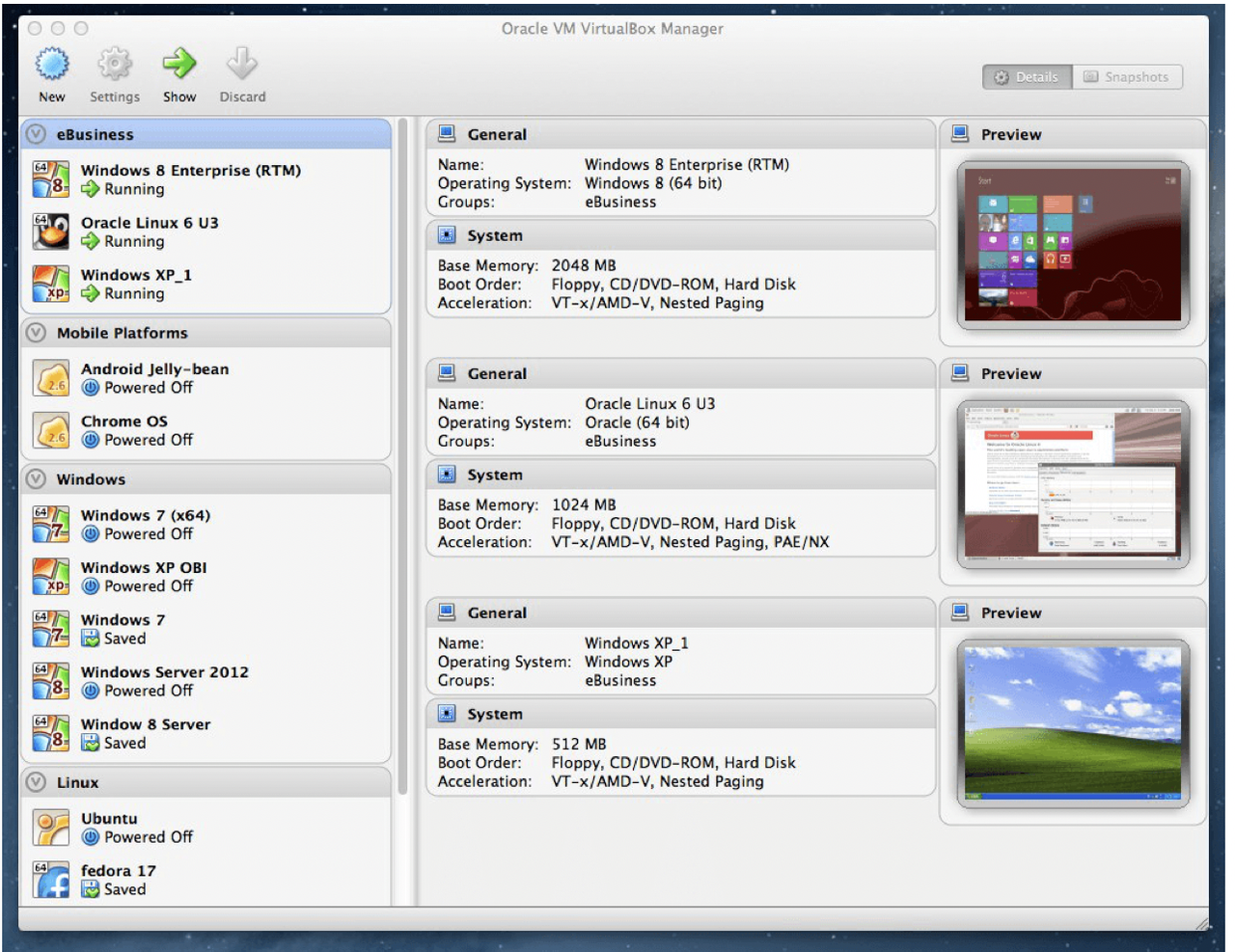
✅ States of the VM
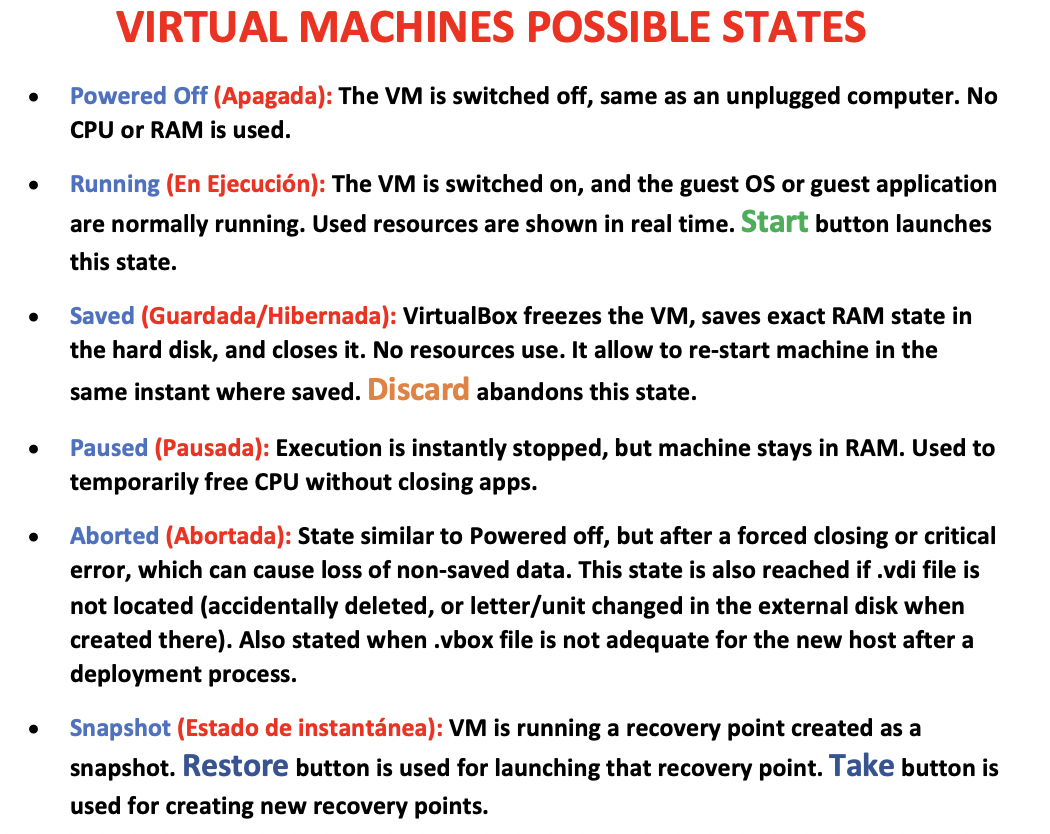
✔️ Powerd off(Apagada)
✔️ Running(En ejecucion)
- using RAM, Harddisk…all resources in use
- if you want to run, should click on
startbutton
✔️ Saved(Guardada/Hibernate)
- saves exact RAM state
- if you have a machine that is saved
- and if you want to go to the beggining
- clock on button
discard discard: for unsaving machnies that you saved
✔️ Paused(Pausada)
- execution stopped, but machine stays in RAM
- give a small rest to your VM
- without freeing any resources
- but temporarily free CPU without closing apps
✔️ Aborted(Abortada)
- critical error here
Abortedhappens in two cases1️⃣
Abortedhappens bc thevdifile is not reachable- ❓ Why my VM cannot reach the
vdi? - 1️⃣ maybe you deleted the
vdiby mistake - 2️⃣ my external disk has changed its name(its letter from
D -> E) - this happens when we create a VM in the external disk
- and the external changes its letter automatically
- and the state will be aborted
- bc the letter of the external disk depends on (1) the distribution of the internal disk
- (2) and the order of insertion
- 💊 change the letter back to what it was
E -> D use command:
diskmgmt.msc- 2️⃣
Abortedalso happens when I try to boot my VM in another RM - with the old
vboxfile - and I did not adopt the
vboxfile to my RM
✔️ Snapshot(Estado de instantanea)
- I have taken a shapshot, a recovery point
- shapshot = recovery point
- button
restoreis used for launching that recovery point button
takeis used for creating new recovery points- when I take my machine to the recovery point
- the machine will not be in the state of “now”
- but it goes “back” to the past recovery point that was good
💡 How to create a Snapshot
- 1️⃣ Machine needs to be off
- 2️⃣ Click on the three dots
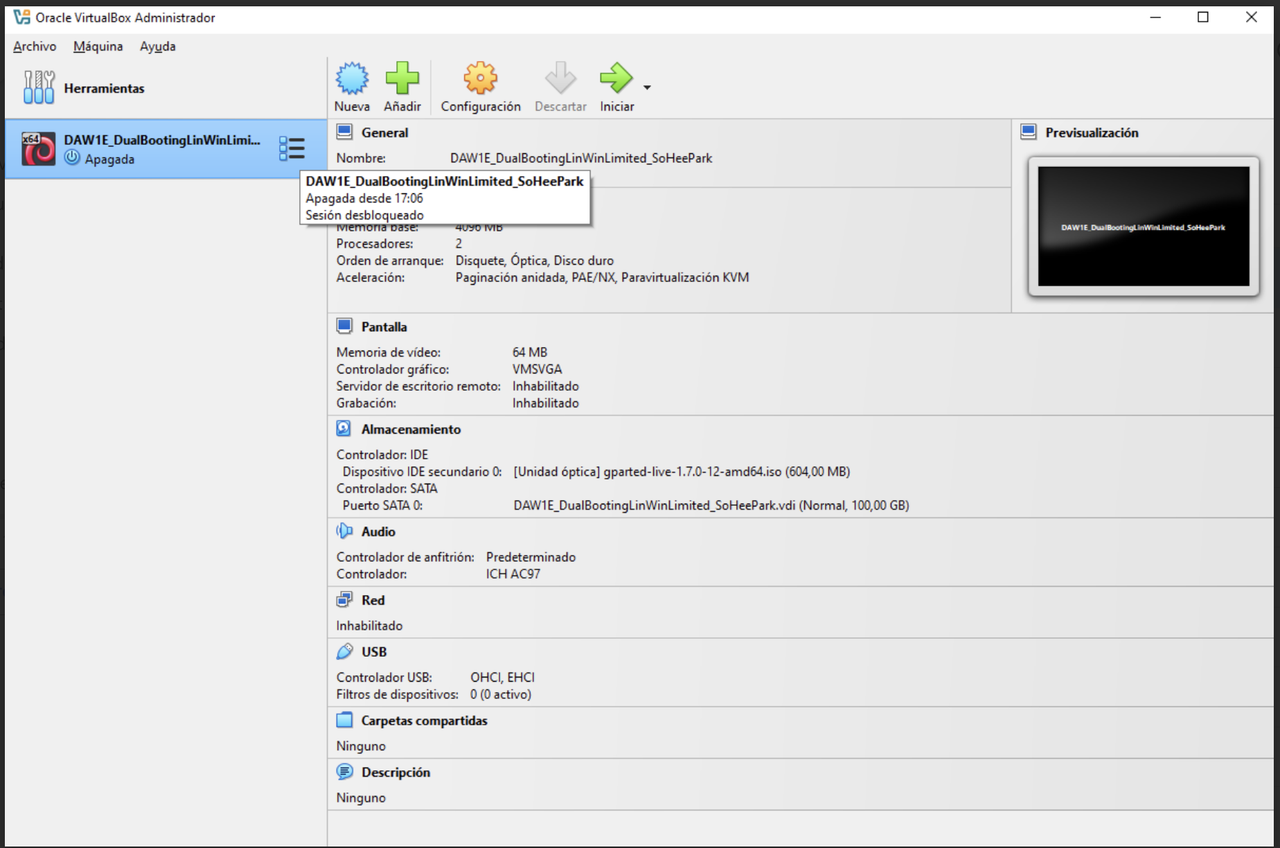
- 3️⃣ click on snapshot
instantaea 4️⃣ and take snapshot
tomar- all the snapshots are saved in the folder indicated in
configuration > general.advanced
💡 How to go to a recovery point
- in order to go to a recovery point,
- select the recovery point
- click on
resotre - Note:
real stateshould be bold, same as the recovery point
💡 How to go delete recovery point
- click on delete
Snapshot 🆚 Screenshot
- Snapshot: recovery point of the machine bc now this state is perfect
- Screenshot: picture of your screen
✅
✅
✅
✅
1️⃣
2️⃣
3️⃣
4️⃣
- 1️⃣
- 2️⃣
- 3️⃣
- 4️⃣ 👍🏻 👎🏻
1
2
3
⭐️⭐️⭐️ EXAM ⭐️⭐️⭐️
❓
👉🏻
This post is licensed under CC BY 4.0 by the author.