4.2 VirtualBox installation errors
😱 VirtualBox installation errors
- there can be three main errors
1️⃣ c++ Redistinbutable Package Missing
- means an API is missing
- 💊 Go to microsoft webpage
- search and download the API
- then execture, double click
- and install the API
2️⃣ Traces of previous verions found
problems bc of traes/remains leftovers of the old version
- If you have a previous version of VM in the computer
- and somebody deleted the old version
traes/remains of the previous version of Virtual Box
- ✔️ Traces could be in two places
- 1️⃣ in
C\Users\<user>\.VirtualBox
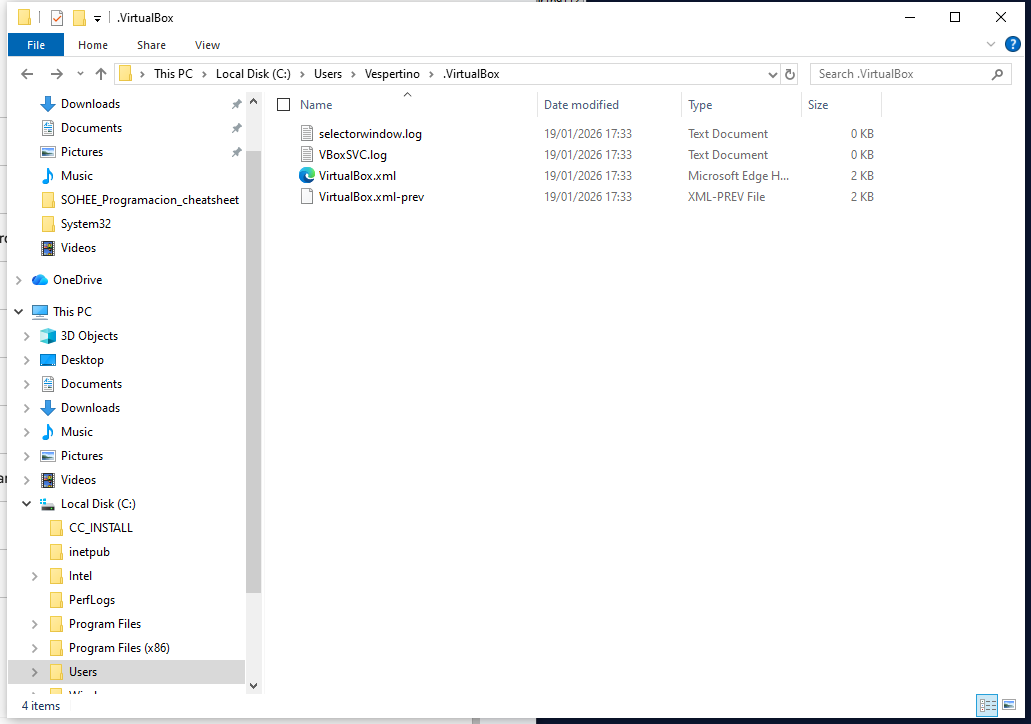
- enter that folder
- empty the folder, delete all the content
- we only empty the folder when the error appears
if there is no error, do not empty the folder
- bc if you delete that folder with no reason,
- you will delete all the access to that VM
you will have to rebuild the accesses
If the
.VirtualBoxdoes not exist, it means previous versions of VM does not exist- 2️⃣ in
C\Windows\system32\drivers
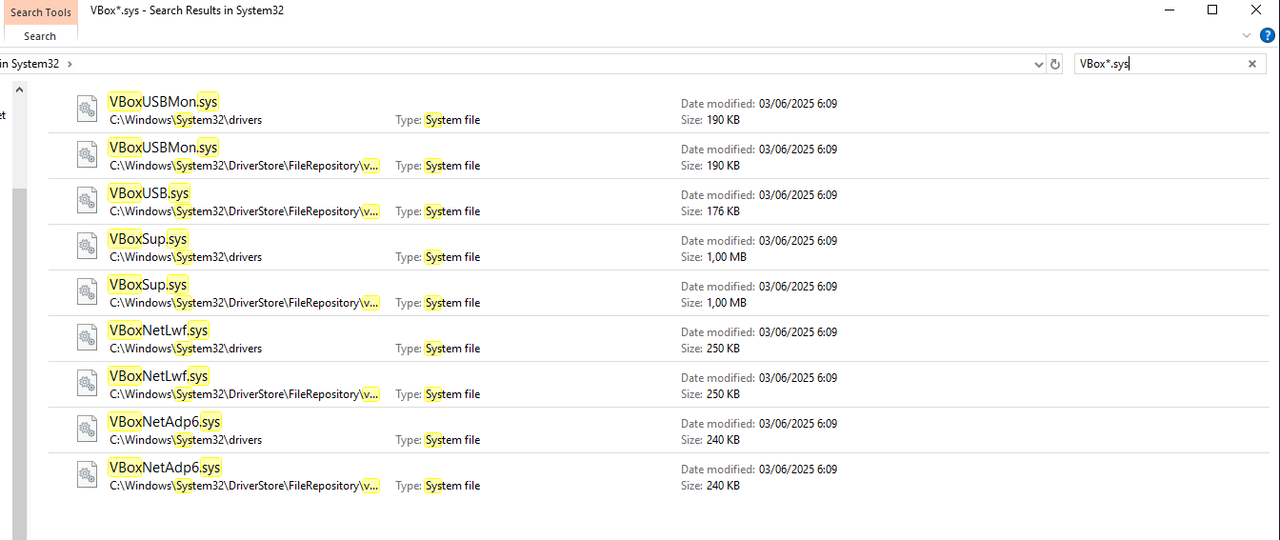
- and serach files
- starting by
VBoxwith extension.sys VBox*.sys*is a wildcardthen delete
- again, also only delete when you are having problem
- if you do not have any problem, but delete,
- you will lose access to the VM
and before deleting, communicate with your team that you are deleting them
- Note: All applications can have trace problems
💊 look for traces inside the
C\Users\<user>\.<nameOfApplications>- Note: after deleting traces
- good practice to uninstall Virtual Box then install again
3️⃣
4️⃣
- 1️⃣
- 2️⃣
- 3️⃣
- 4️⃣ 👍🏻 👎🏻
1
2
3
⭐️⭐️⭐️ EXAM ⭐️⭐️⭐️
❓
👉🏻
This post is licensed under CC BY 4.0 by the author.