4.16 Extra-RAID
1️⃣ IDE should never be empty
✔️ IDE with nothing does not boot
- If
IDEreally has nothing, it will not boot - virtual machines does not understand a IDE without an
iso - phisically, its like a wire that is left hanging, without connected to anything
- computers do not like this situation ☹️
- IDE without nothing inside ❌
- IDE without an iso existing ❌
💊 So add an empty iso
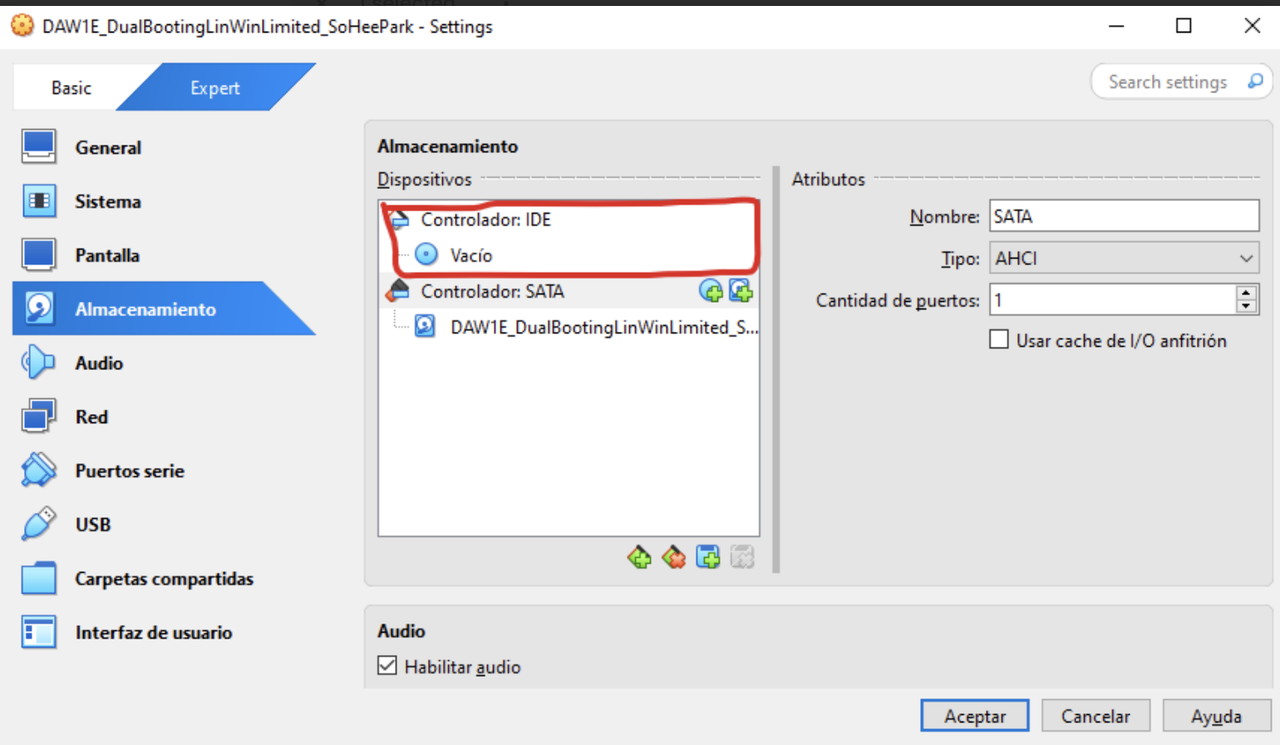
- Even if we do not need the
iso, at least create anempty iso - atleast need
iso vacio - so add
isoand leave it empty - the
isodoes not do anything, but just make anempty iso - IDE with
empty, useless iso⭕️
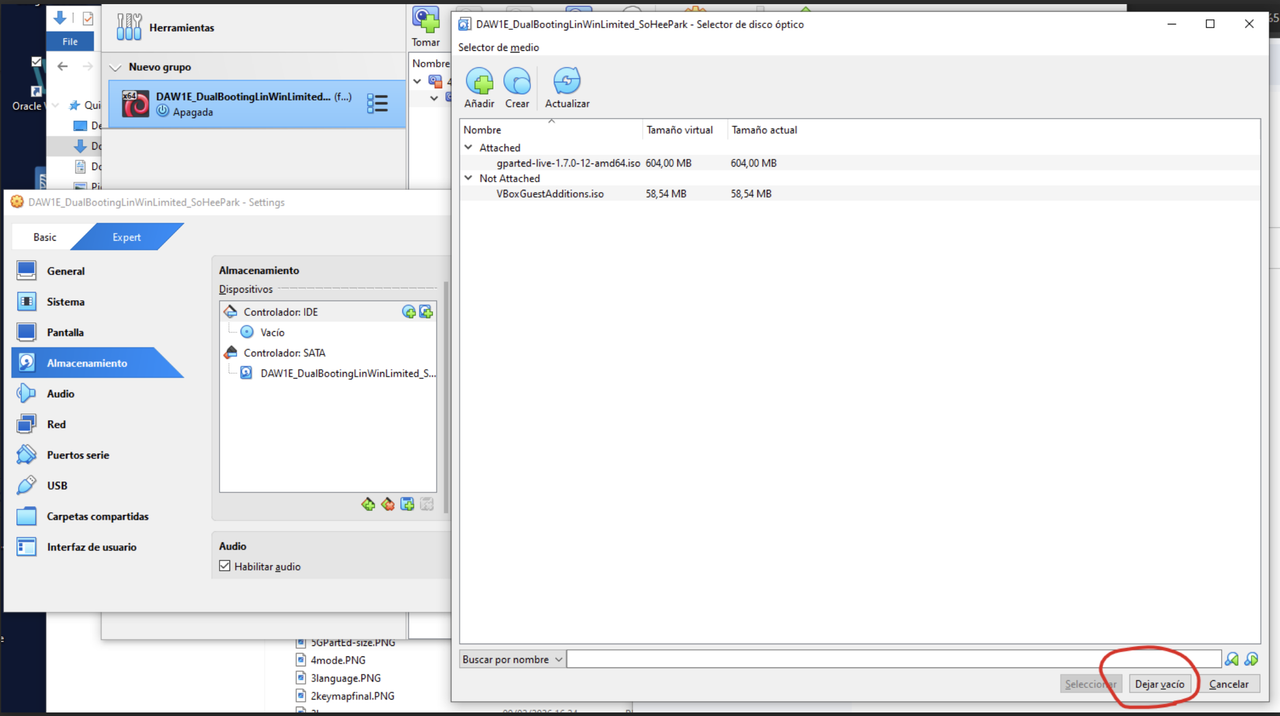
⭐️ GPartEd iso
- it is needed for
- 1️⃣ creating partitions
- 2️⃣ viewing the partitions
- After creating the partitions, we deleted the
isofile - by doing
Send shutdown signal - ⚠️ But then, if you do not have the
GPartEd.isoin your IDE - you will not be able to see the partitions!
- if you do not have the
isoin IDE, you will not be able to see the partitions you created - 👉🏻
GPartEd.isois also used for viewing the partitions
2️⃣ It is ITIL when IDE zone exists
- What happens if I need an iso
- But the IDE zone does not exist
- And I add the
isoto the SATA zone - 👉🏻 This will make VM work,
- 👉🏻 But it is not ITIL
- 👉🏻 As technicians, this is not ideal
❓ How to create the IDE zone(review)
- add the area that is missing, create IDE
- elimiate the
isofile in the SATA - then add the
isoto the IDE
3️⃣ RAID
- What if I want to create a RAID?
- RAID: Redundant Area of Independent Disks
- you need to add extra
vdis to create RAID - then need to combine the different
vdi
💡 Two possibilities of creating a disk
- 1️⃣
Disk+Mirror of the disk(information is identical on both disks) - 2️⃣
Disk+Second disk(information is split)
✔️ How to create a RAID
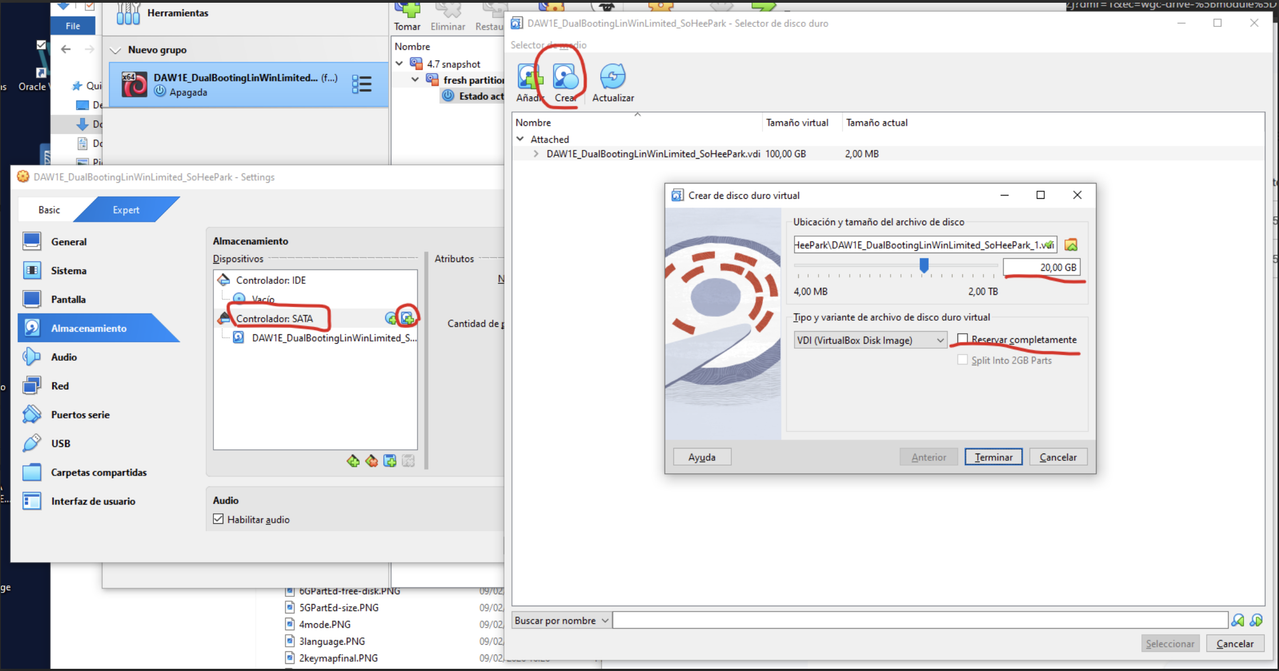
vdishould be insideSATAzone- click on harddisk(right top square)
- choose create
- decide size of new
vdi - decide dynamic
⚠️ Never change the name of the vdi
- when you add extra
vdis - never change the name!
- virtual box will automatically add a number
✔️ Each vdi has their own schema
- when we have several
vdis - we can choose the specific
vdis - and partition the
vdidifferently - Each of the
vdis of the RAID can have a different partition schema - 👀 I can make first
vdias GPT and secondvdias MBR - ⚠️ Unless you want a mirror, if you want a mirror, they should be the same schema
👍🏻 Advantages of RAID
- distributing information on several disks
- protecting the important information
✔️ Delete vdi
- if you do not need it,
- press and click on
eliminar conexión
This post is licensed under CC BY 4.0 by the author.