✅ WHat is a Perfect plan?
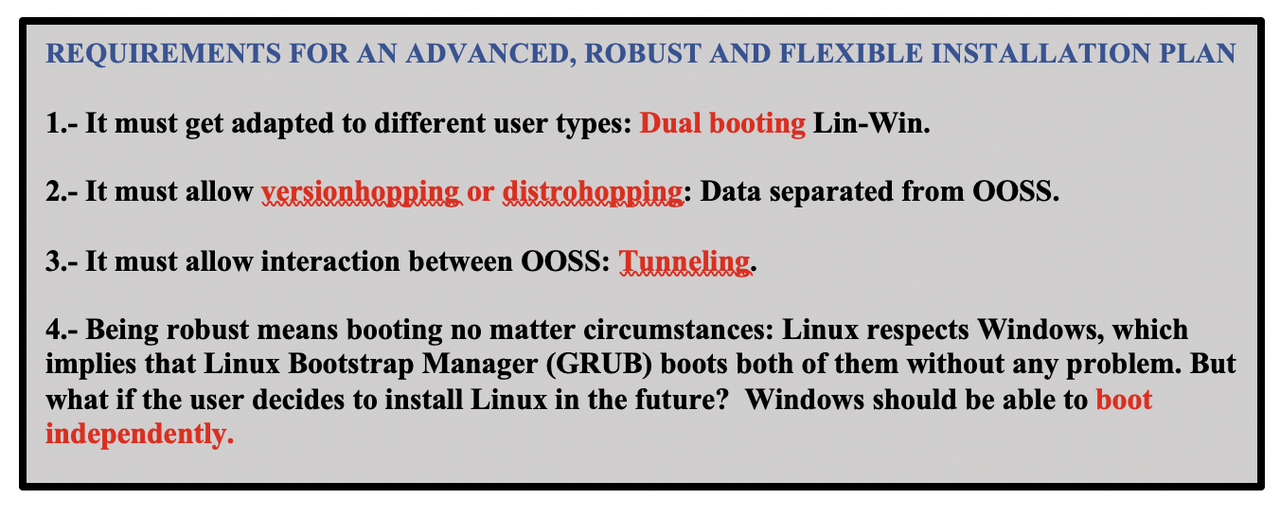
1️⃣ It must get adapted to different user types: Dual booting Lin-Win
2️⃣ It must allow version hopping or distrohopping
have data separated from the OS
👍🏻 You can change OS without losing information
3️⃣ It must allow interaction between OOSS: tunneling
common channel between both OS
4️⃣ No matter the circumstances, the system must work
Linux will boot windows
But just incase you uninstall Linux, make windows independent
💊 Create booting for windows too, do not rely on linux. Maybe oneday you want to uninstall Linux
- ➡️ If we follow this plan, disks will be adaptative
✅ Steps on installation
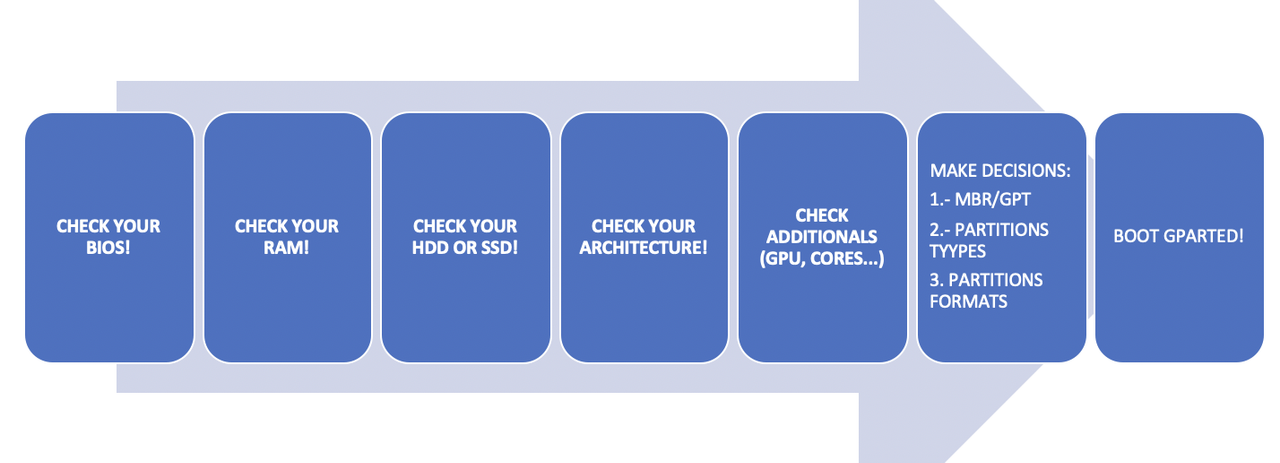
1️⃣ Check your specs, limits
- use commands
use CPU-Z
- check the following
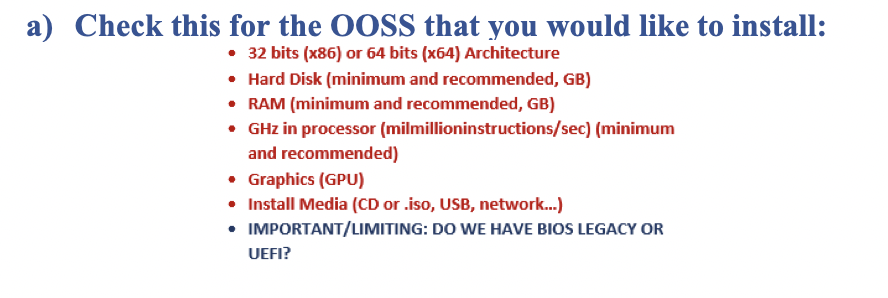
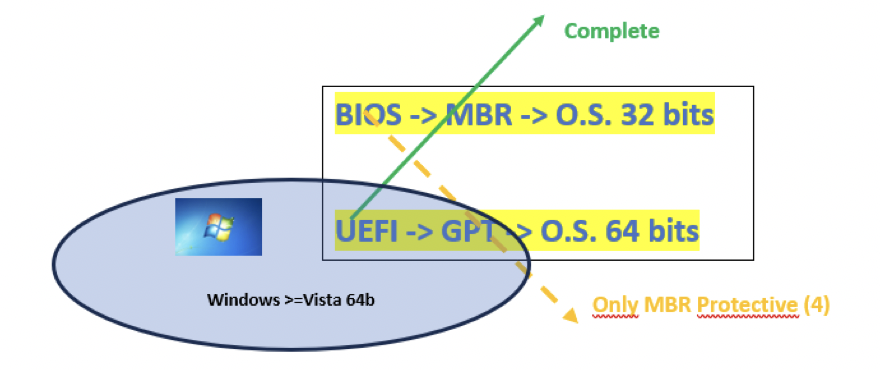
- check motherboard architecture
- check BIOS, UEFI
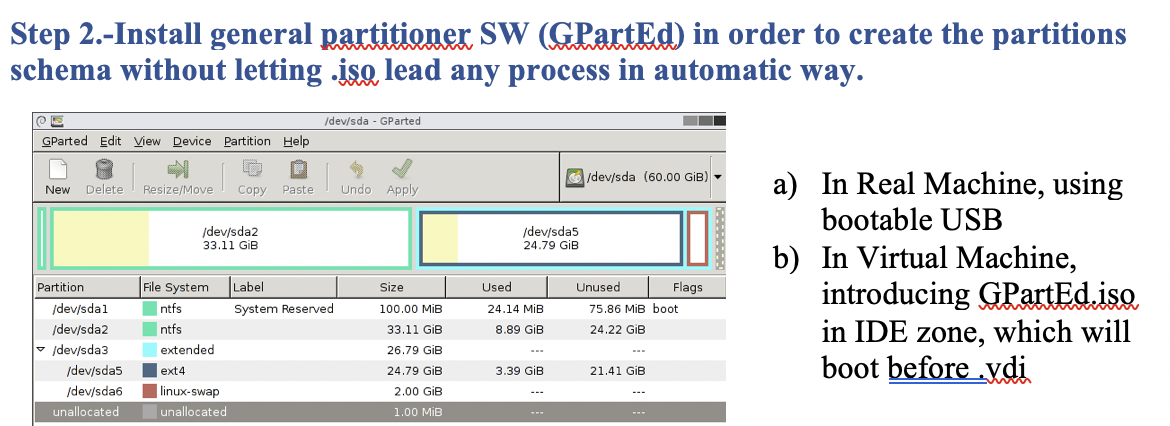
2️⃣ Use GPartEd in order to create the partitions manually
- do not use nextmode
💡 Conclusion
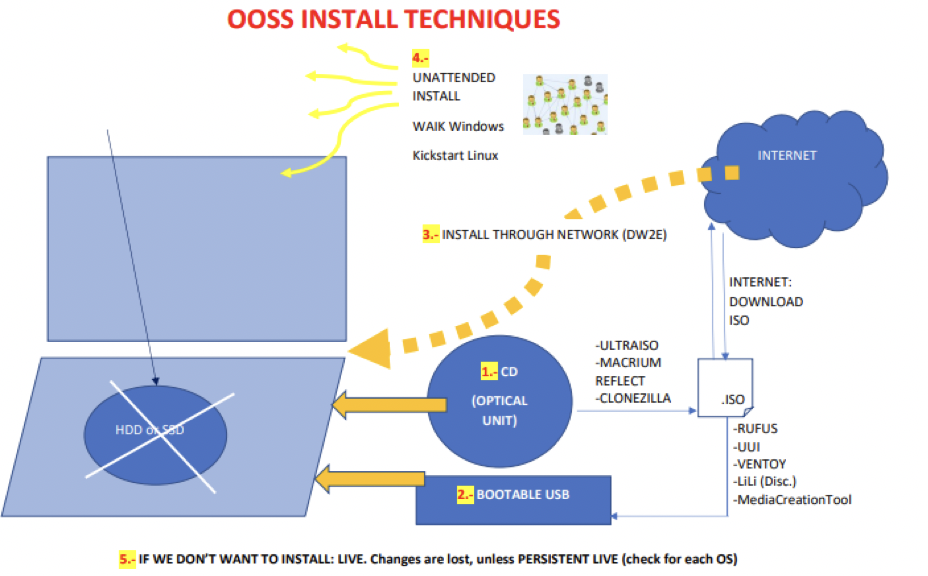
3️⃣ Install each OS
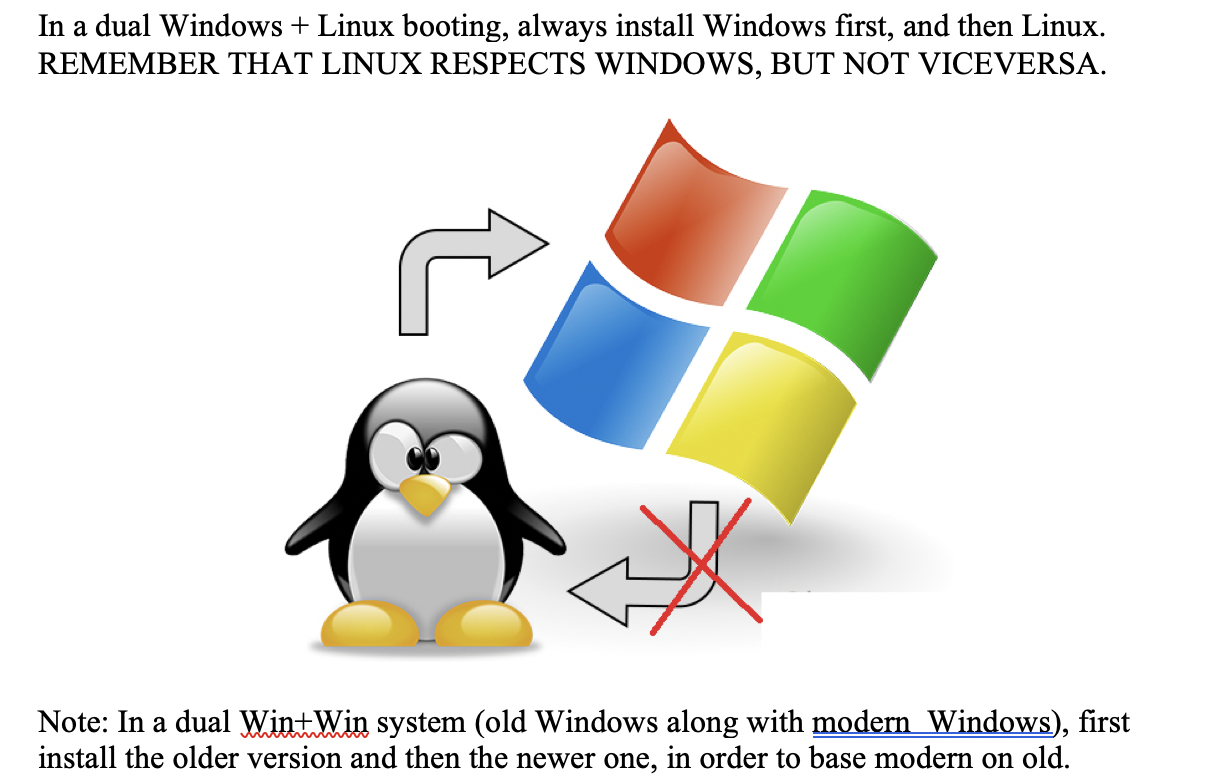
💡 General Rule
- need to install windows first
- then linux second
linux repsects windows, but not viceversa
- (⭐️ exam question)
- for
win+win - install old version first
- new second
- new over old
- 7 ➡️ 8 ➡️ 9 ➡️ 10
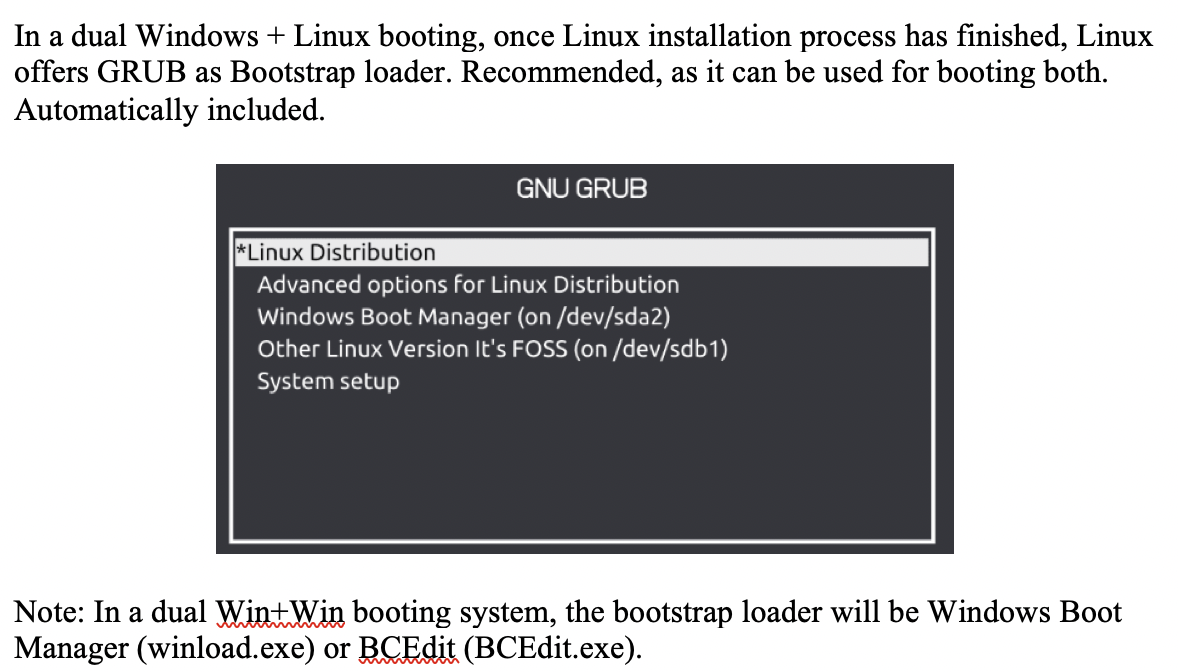
4️⃣ Install Bootstrap Loader
- create the menu
- if you did things in order, the linux gives you the order automatically
- name of the menu in linux: GRUB
- (⭐️ exam question)
- in a
win+win - you need to add the menu manually
- you need an external program to create the menu
- use Windows Boot Manager(
winload.exe) - or BCEdit(
BCEdit.exe)
5️⃣ Format GRUB
- decorate your menu
add company/customer logos…
- (1) change the wallpaper of the menu
- (2) choose the OS by default
- (3) waiting time: how much we will wait before booting the OS
1
2
3
4
5
6
❓ What happens if waiting time to 0 seconds?
- fast booting
- we will not see the menu(bootstrap loader)

🛠️ when you want to hide the expert OS
so clients cannot go into other OS
⭐️ Important!
- all the partitions that need to exist
- in all the possible situations
- in order to have a perfect disk
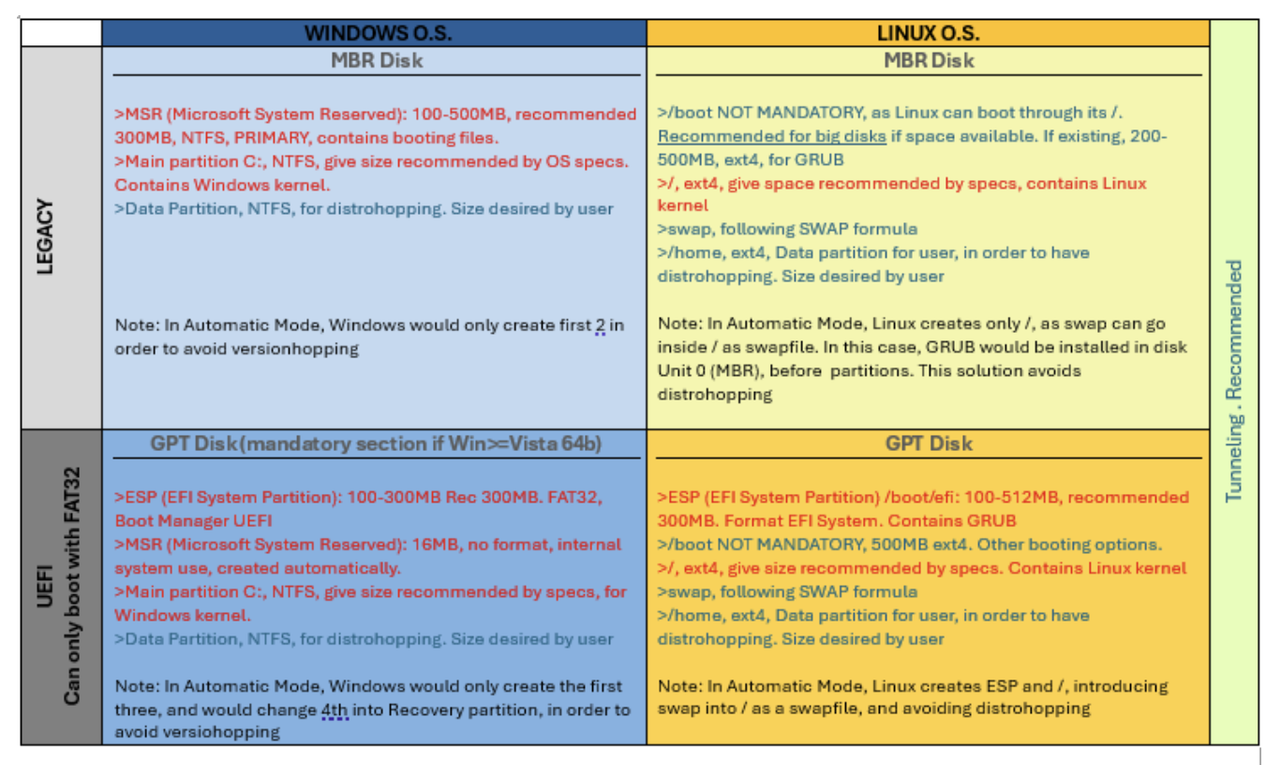
✔️ legacy ❤️ windows
- all partitions are NTFS
two mandatory partitions:
MSR: for booting windows if Linux is uninstalled, windows will boot independantly, NTFS, Primary, contain booting files, needs to be 300MBC:: kernel of the system, NTFS
- recommended partition:
- for data: for version-hopping, NTFS
✔️ UEFI ❤️ windows
three mandatory partitions:
MSR: for booting windows independently, needs to be 16MBC:: kernel, NTFSESP: (EFI System Partition), must be FAT32, only partition in the Windows universe that is NOT NTFS- bc if it was NTFS, windows would set a letter
- then the user can think he can use it, save files inside
- so the system makes it FAT32
- so that it does not have a letter, so that users do not access
- to avoid letters, to avoid users from touching
recommended partition:
- for data: for version-hopping, NTFS
✅
✅
1️⃣
2️⃣
3️⃣
4️⃣
- 1️⃣
- 2️⃣
- 3️⃣
- 4️⃣ 👍🏻 👎🏻
1
2
3
⭐️⭐️⭐️ EXAM ⭐️⭐️⭐️
❓
👉🏻